Guides
Nano Banana Pose Reference Guide: Workflow + Prompts
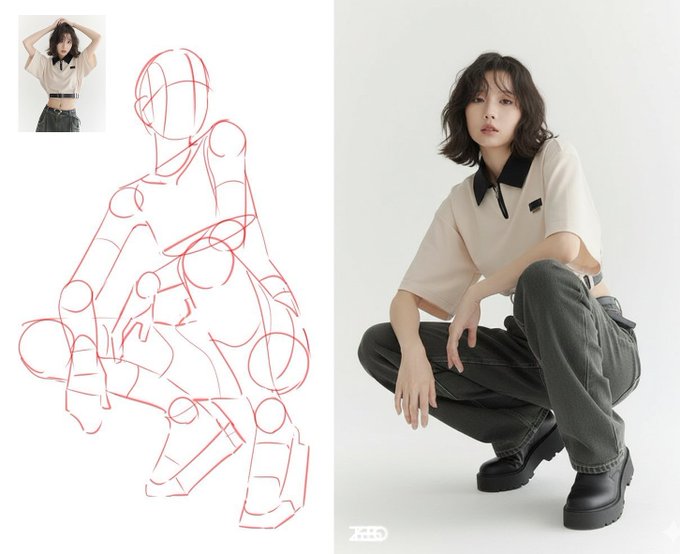
Table of Contents
- Key Takeaway
- What Is a Nano Banana Pose Reference?
- Fast Studio Workflow
- Copy-and-Use Prompt Formula
- Example Outputs
- Best Use Cases
- Fashion Lookbooks
- Portrait Photography
- Product and Brand Scenes
- Posters and Concept Art
- Common Failure Modes
- Comparison: Nano Banana vs Pose Tools
- Production Checklist
- Related Nano Banana Workflow Guides
- Final Recommendation
Key Takeaway
Nano Banana pose references are useful when you need a character, model, product, or scene to follow a specific body position without rebuilding the whole shoot from scratch. The best results come from treating the pose image as a constraint, then using a short prompt to lock identity, wardrobe, camera angle, lighting, and output style.
New to Nano Banana? Start with the AI image generation guide for the basics, then come back for pose control.
Use this workflow when you want to:
- Speed up fashion, portrait, product, or character shoots.
- Explore several poses before a real production day.
- Keep a visual direction consistent across many images.
- Turn rough references into studio-ready compositions.
- Build mood boards for clients, artists, or creative teams.
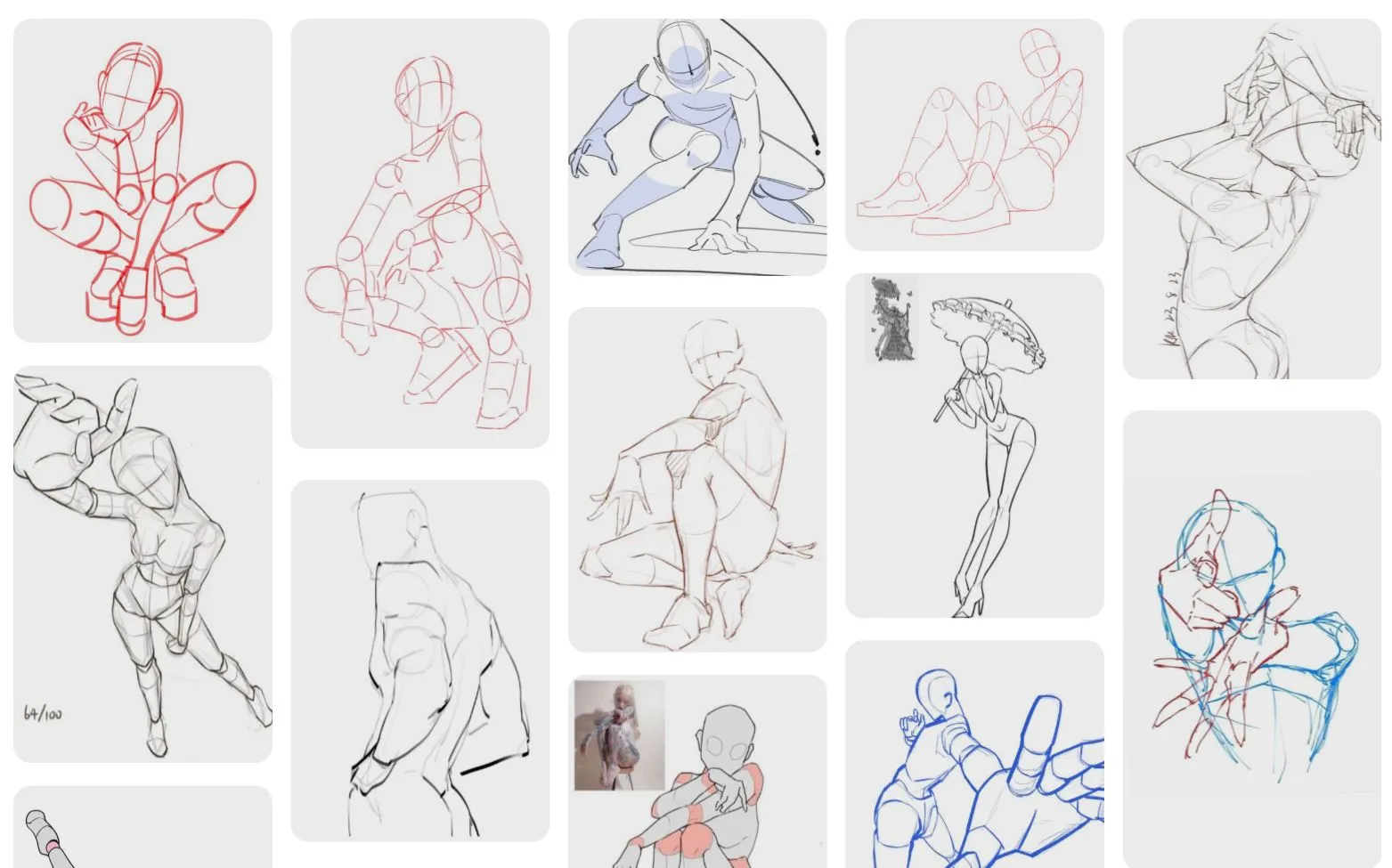
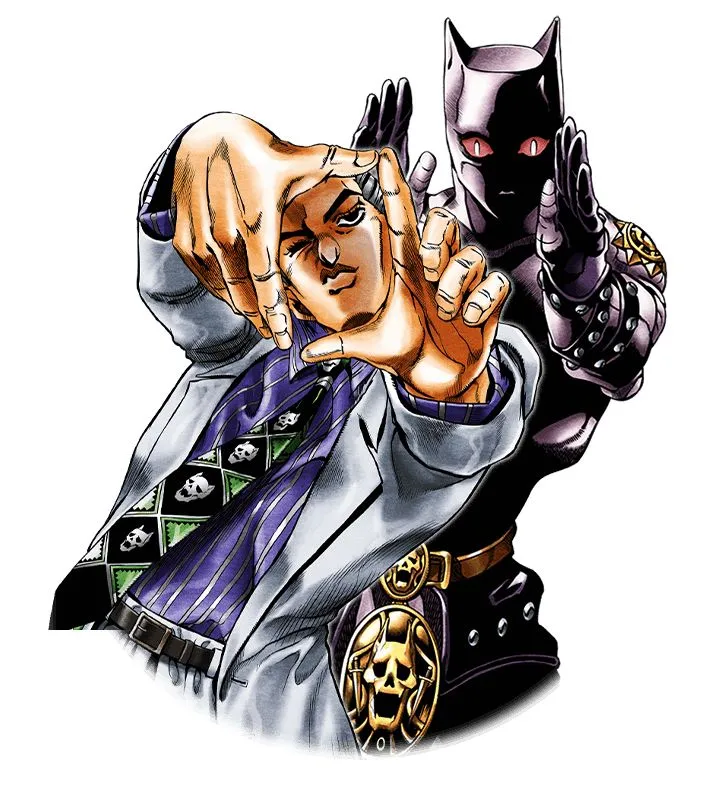
Source note: the original pose-reference image was found at
https://pinterest.com/pin/3659243441141204/.
What Is a Nano Banana Pose Reference?
A Nano Banana pose reference is an input image that tells the model how the subject should stand, sit, lean, jump, turn, point, or interact with the camera. Instead of describing every limb position in text, you provide a visual reference and use the prompt to describe what should stay consistent.
The pose reference usually answers:
- What is the body position?
- Where is the camera?
- How dynamic or still should the frame feel?
- Which parts of the original image should be followed?
- Which parts should be replaced by your own character, outfit, scene, or brand style?
That makes it especially useful for studio-style work where “close enough” is not enough. A small shoulder angle, foot placement, hand position, or face direction can change the entire image.
Fast Studio Workflow
Use this five-step workflow before you start generating:
| Step | What to Do | Why It Matters |
|---|---|---|
| 1. Choose the pose reference | Pick one image with a clear silhouette and visible limbs. | Clean references reduce anatomy drift. |
| 2. Define the subject lock | State the person, product, character, outfit, or style that must remain consistent. | This prevents the pose from replacing your core identity. |
| 3. Add scene constraints | Specify background, camera, lens feel, lighting, and mood. | The model needs production context, not only a pose. |
| 4. Generate variations | Run 4 to 8 outputs instead of judging one image. | Pose transfer has useful randomness. |
| 5. Select and refine | Keep the strongest structure, then refine hands, eyes, fabric, and small details. | Final polish usually happens after pose accuracy is solved. |
Copy-and-Use Prompt Formula
Use this formula for most pose-reference jobs:
Use the uploaded image only as a pose and body-position reference.
Keep [subject identity / character / product] consistent with [source image or description].
Create [final scene type] with [camera angle], [lighting], and [visual style].
Preserve the pose silhouette, limb direction, and body balance.
Do not copy the original background, clothing, or face unless specified.
Output a clean, high-quality image suitable for [use case].
For a larger prompt library, see Nano Banana pose prompt templates.
Example Outputs
Here is what Nano Banana can generate when the reference pose is clear and the final scene is constrained.
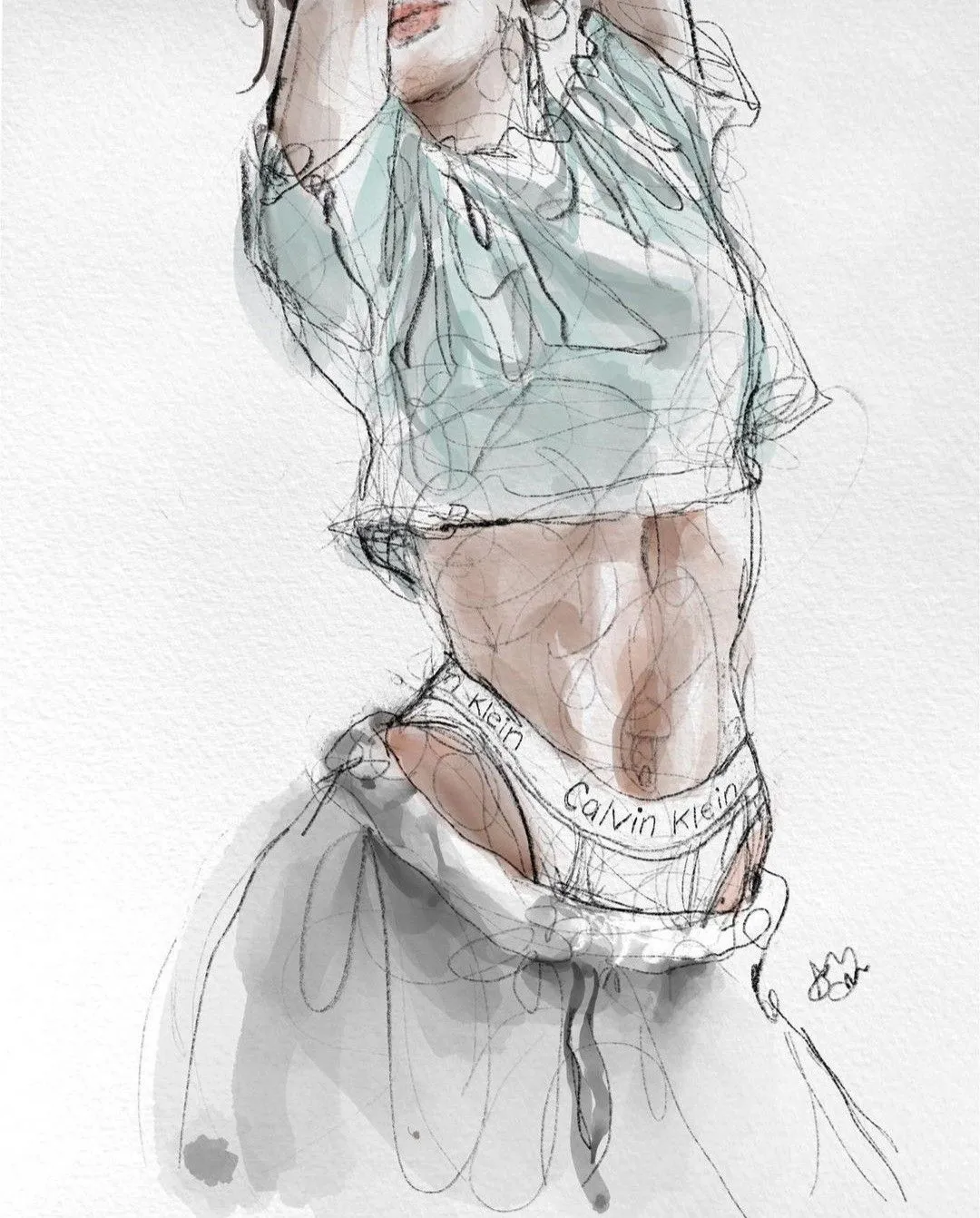
This example works because the standing pose is simple, the silhouette is readable, and the output can focus on posture accuracy.
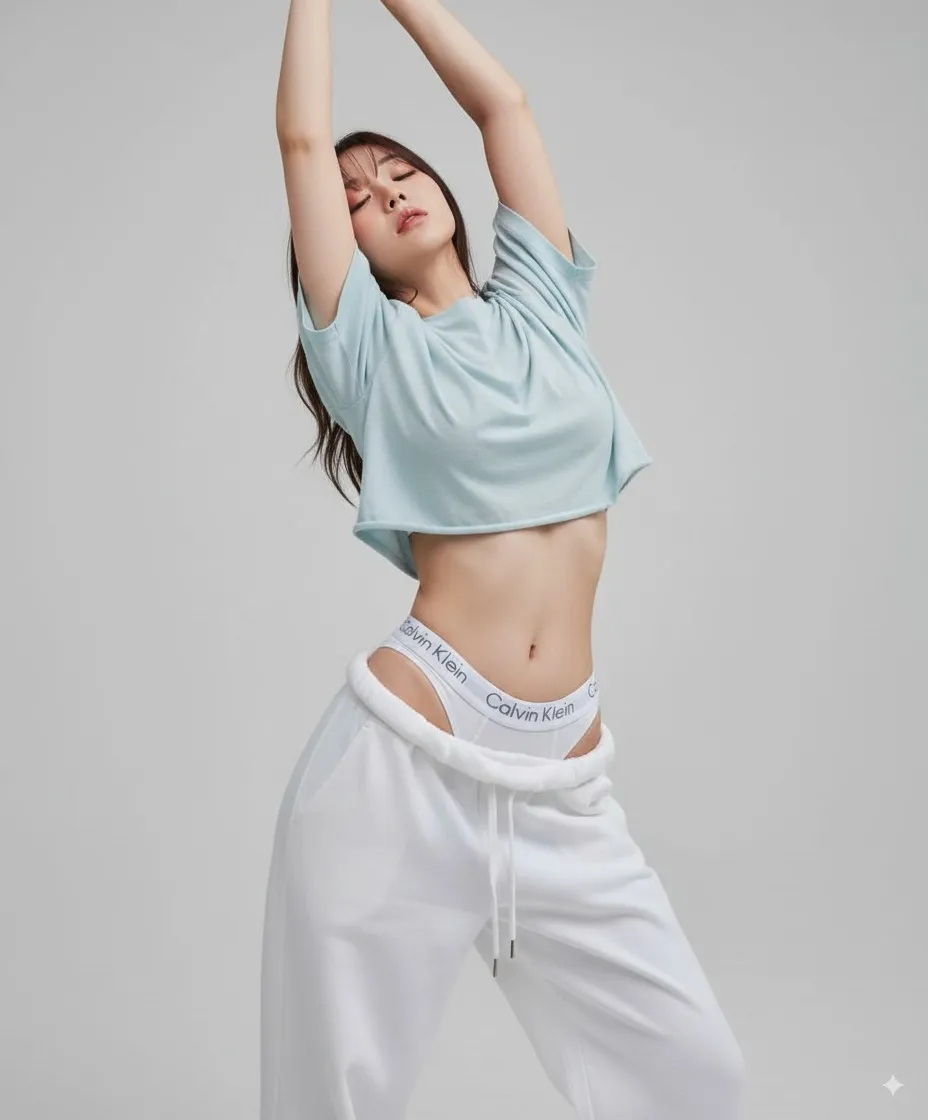
Dynamic poses are more fragile. Ask for “balanced body weight”, “natural limb alignment”, and “realistic hand placement” when the pose includes motion.
Best Use Cases
Fashion Lookbooks
Pose references let a fashion team explore editorial stances, runway gestures, and outfit angles before booking a model or location. Use them to compare silhouettes, fabric movement, and composition.
Helpful internal guide: Nano Banana fashion stylist workflow.
Portrait Photography
For portraits, the pose reference can control shoulders, gaze direction, hand placement, and framing. Keep the identity source separate from the pose source when possible.
Helpful internal guide: NanoBanana portrait photography prompts.
Product and Brand Scenes
Pose references are not only for people. They can guide how a hand holds a product, how a model interacts with packaging, or how a lifestyle scene is arranged.
Helpful internal guide: Nano Banana as a Photoshop alternative.
Posters and Concept Art
Poster concepts often need a strong silhouette first. Use the pose reference to lock the gesture, then iterate on style, typography space, background, and lighting.
Helpful internal guide: AI poster design with Nano Banana.
Common Failure Modes
| Problem | Why It Happens | Fix |
|---|---|---|
| Identity drift | The pose reference dominates the subject reference. | Say “use the pose only” and repeat the identity lock. |
| Strange hands | Hands are small, hidden, or complex in the source pose. | Ask for “visible natural hands” and simplify the pose. |
| Outfit drift | The model treats clothing as part of the pose reference. | Specify the exact outfit and say not to copy reference clothing. |
| Camera mismatch | The pose image and desired output use different angles. | State the target camera angle and lens feel. |
| Over-random results | The prompt leaves too many creative choices open. | Lock background, lighting, subject, and style before varying. |
Comparison: Nano Banana vs Pose Tools
| Tool | Best For | Limitation |
|---|---|---|
| Nano Banana | Fast creative pose transfer into polished images. | Results can vary, so generate multiple candidates. |
| PoseMy.Art | Building or testing pose references manually. | Usually needs another tool for final image generation. |
| Magic Poser | 3D pose blocking and anatomy planning. | Less direct for finished AI image workflows. |
| DesignDoll | Precise mannequin-style posing. | Better as a reference generator than an end-to-end image tool. |
The practical stack is simple: use a posing tool when you need total body-control precision, then use Nano Banana to turn that pose into a finished image direction.
Production Checklist
Before generating, confirm:
- The pose reference has a clean silhouette.
- The subject identity is described or uploaded separately.
- The prompt says what to preserve and what to ignore.
- The desired output format is clear: portrait, lookbook, product shot, poster, or concept frame.
- You plan to compare several outputs, not only one.
- You have a final polish pass for hands, eyes, fabric, and object edges.
Related Nano Banana Workflow Guides
- Nano Banana AI image generation guide
- Keep the same character across new poses
- AI pose reference generator comparison
- Nano Banana pose prompt templates
- Nano Banana prompt guide
- NanoBanana portrait photography guide
- Nano Banana fashion stylist workflow
- Nano Banana as a Photoshop alternative
Final Recommendation
Use Nano Banana pose references as a production shortcut, not as a one-click guarantee. The strongest workflow is reference-first, prompt-light, and iteration-heavy: choose a readable pose, lock the subject, constrain the scene, generate several options, then refine the winner.
Frequently Asked Questions
Can Nano Banana copy a pose from one image to another?
Yes. Use an uploaded image as the pose reference, then state clearly whether the model should copy only the body position or also borrow clothing, background, lighting, or facial details.
How many pose variations should I generate?
For studio work, compare four to eight candidates. Pose transfer includes useful variation, and selecting the strongest structure is usually faster than trying to perfect the first output.
How do I keep the same character while changing pose?
Use a separate identity reference or precise character brief. Tell Nano Banana that the pose image controls body position only, and repeat the identity lock when facial features, hair, or clothing begin to drift.
Are pose references better than text-only prompts?
They are usually better for precise body position because a visual reference communicates balance, limb direction, gesture, and camera relationship more efficiently than text alone.
What should I do if the hands look wrong?
Choose a reference with visible hands, simplify extreme joint angles, request natural wrists and proportional fingers, and refine the best candidate while keeping the rest of the image fixed.