Guides
How to Keep Characters Consistent Across Nano Banana Poses
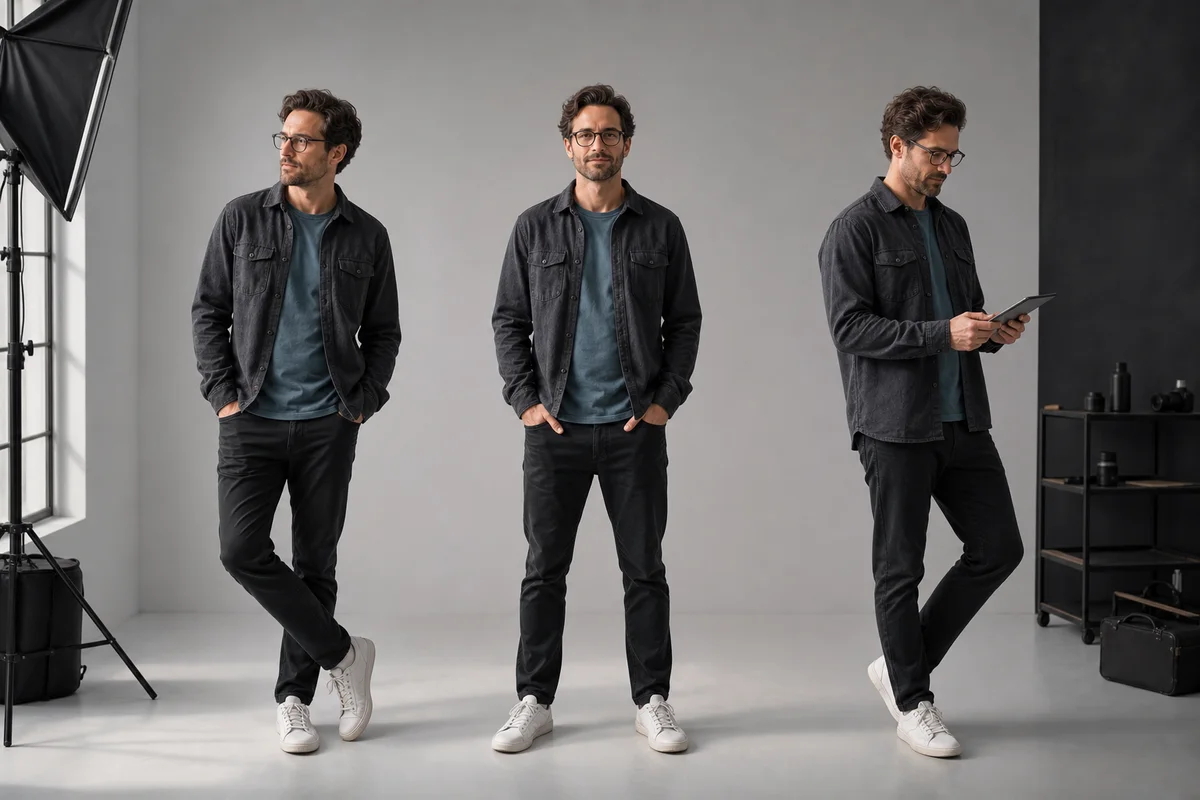
Table of Contents
- The Short Answer
- Why Character Identity Drifts
- Use a Three-Role Reference System
- Step-by-Step Consistency Workflow
- 1. Create an Identity Anchor
- 2. Choose a Compatible Pose Reference
- 3. Assign Roles in the Prompt
- 4. Change One Variable at a Time
- 5. Review With an Invariant Checklist
- Prompt Templates for Common Failures
- Face Drift Repair
- Outfit Leakage Repair
- Multi-Pose Character Sheet
- Build a Sequence Without Cumulative Drift
- When a Dedicated Pose Tool Helps
- Related Guides
- Final Checklist
The Short Answer
To keep a character consistent while changing poses, give every input image one job: one identity reference, one pose reference, and—only when needed—one wardrobe or style reference. Tell Nano Banana what each image controls and what it must ignore. Change the pose first; change camera, clothing, lighting, and environment in later passes.
Google describes Gemini 2.5 Flash Image, also known as Nano Banana, as supporting character consistency and targeted image transformations. That capability is the starting point, not a guarantee that every generation will match. A repeatable reference system and review pass still matter. See the official model introduction.
Why Character Identity Drifts
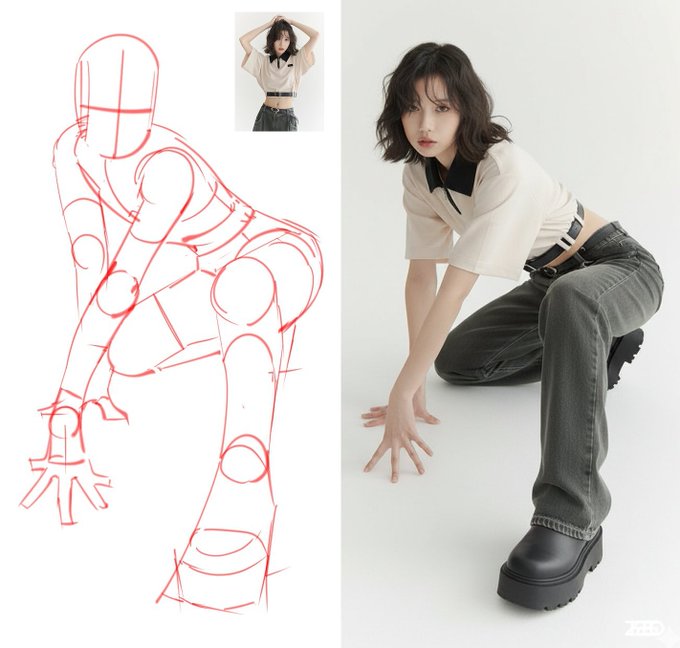
Character drift usually happens because the request asks the model to solve too many competing constraints at once. A pose image contains more than a pose: it also contains a face, body type, outfit, camera angle, light, and background. If the prompt does not assign roles, any of those features can leak into the result.
The most common causes are:
- Reference competition: the pose image and identity image show different people without clear role labels.
- Angle mismatch: the identity reference is frontal, while the requested pose hides or distorts key facial features.
- Simultaneous changes: pose, clothes, age, lighting, lens, and environment all change in one generation.
- Weak anchor: the source character has an obscured face, inconsistent styling, or too little visual detail.
- Selection drift: each new result becomes the next reference, so small changes accumulate across a sequence.
Use a Three-Role Reference System
| Reference | Controls | Must Not Control |
|---|---|---|
| Identity image | Face, hair, age, body proportions, defining features | Pose, background, unrelated lighting |
| Pose image | Limb position, gesture, balance, body direction | Face, clothing, character design, scene |
| Style or wardrobe image | Garment details, palette, material, rendering style | Identity and pose unless explicitly requested |
Most jobs need only the first two references. Add the third only after identity and pose are stable.
Step-by-Step Consistency Workflow
1. Create an Identity Anchor
Choose a sharp image with visible facial features, natural proportions, and minimal occlusion. A neutral three-quarter portrait often carries more identity information than an extreme close-up or profile.
Record five invariants in plain language:
- Face shape and defining facial features.
- Hair color, length, texture, and parting.
- Approximate age and body proportions.
- Signature clothing or accessories that must remain.
- Rendering style if the character is illustrated rather than photographic.
2. Choose a Compatible Pose Reference
Start with a pose whose camera angle is reasonably close to the identity anchor. Use a clean silhouette, visible joints, and enough space around the body. Save extreme foreshortening, hidden faces, and overlapping limbs for later.
3. Assign Roles in the Prompt
Use explicit reference labels even if the interface does not name the uploads:
Image 1 is the identity reference. Preserve this character's face, hair,
age, body proportions, and defining features.

Image 2 is the pose reference. Use it only for body position, gesture,
weight distribution, and camera relationship. Do not copy the person,
face, hair, clothing, background, or lighting from Image 2.

Create a clean [portrait / full-body image / character frame] with the
identity from Image 1 in the pose from Image 2. Keep [outfit], [setting],
and [lighting] unchanged. Use natural anatomy and realistic hands.
4. Change One Variable at a Time
First solve identity plus pose on a simple background. Then lock the selected result and change the environment. Add wardrobe changes, dramatic lighting, or a new lens only after the face and proportions survive the pose transfer.
5. Review With an Invariant Checklist
Do not judge only whether the image looks attractive. Compare the output with the anchor:
| Check | Pass Condition | If It Fails |
|---|---|---|
| Face | Same face shape and defining features | Repeat the identity role and reduce scene changes |
| Hair | Same color, length, texture, and part | Describe each invariant explicitly |
| Proportions | Stable height, build, and head-to-body ratio | Avoid incompatible pose angles; simplify the pose |
| Wardrobe | Required pieces and colors remain | Separate wardrobe into its own locked instruction |
| Pose | Gesture and weight match the reference | Ask for silhouette, limb direction, and balance rather than “copy exactly” |
Prompt Templates for Common Failures
Face Drift Repair
Keep the current composition and pose. Restore the exact character identity
from Image 1: [five identity invariants]. Do not alter camera, clothing,
background, lighting, or body position. Change only the identity mismatch.
Outfit Leakage Repair
Keep the identity from Image 1 and pose from Image 2. Restore the required
outfit: [garment, color, material, fit, accessories]. Do not copy any clothing
from the pose reference. Preserve the current face, pose, camera, and scene.
Multi-Pose Character Sheet
Create a clean character reference sheet using the identity from Image 1.
Show the same character at a consistent scale in [front, three-quarter, side]
views. Preserve face, hair, age, body proportions, outfit, palette, and style.
Use a neutral background and even lighting. Each view must depict one character,
not a different variation.
Build a Sequence Without Cumulative Drift
For a series, return to the original identity anchor for every new pose. Do not use frame 2 as the only reference for frame 3, then frame 3 for frame 4. That chain compounds small errors.
Use this production pattern:
Original identity anchor
  → Pose A candidate set → selected Pose A
  → Pose B candidate set → selected Pose B
  → Pose C candidate set → selected Pose C
Keep a short “character bible” beside the images. It should list the five identity invariants, wardrobe rules, permitted expressions, and visual style. Reuse the same wording instead of inventing a new character description for every frame.
When a Dedicated Pose Tool Helps
Nano Banana is useful when the desired output is a finished image and the pose reference is already readable. A dedicated 3D poser or skeleton tool is a better first step when exact joint placement, extreme foreshortening, or repeatable camera geometry matters. Build the pose there, export a clean reference, then use it as the pose-only input.
Use the AI pose reference generator comparison to choose the right workflow.
Related Guides
- Nano Banana pose reference workflow
- 30 Nano Banana pose prompt templates
- Nano Banana portrait photography prompts
- Nano Banana fashion styling workflow
- Wedding invitation stills to reference-locked wedding video
- Seedance 2.5 bullet time from Nano Banana product stills
- Nano Banana stills after the Sora API sunset: Seedance, Kling, Veo
Final Checklist
- Use the original identity anchor for every pose.
- Give each reference exactly one role.
- State what the pose image must not contribute.
- Match camera angles before attempting extreme views.
- Solve pose and identity before changing wardrobe or scene.
- Compare defining features, not only overall attractiveness.
- Save the approved image and the exact prompt together.
Frequently Asked Questions
Can Nano Banana keep the same character in different poses?
It can preserve a character across pose changes, especially when you provide a clear identity image and assign each reference a single role. Consistency is still a workflow outcome, so compare outputs and refine one variable at a time.
Should identity and pose come from the same image?
They can, but separate references are easier to control. Use one image for identity and another for pose, then state that clothing, face, and background from the pose image must not be copied.
Why does the face change when I change the pose?
The pose reference may be competing with the identity reference, or the new angle may hide defining features. Reassert the identity lock, choose a reference with a compatible camera angle, and reduce other changes during that generation.
How do I make a consistent character sheet?
First create a neutral anchor image with clear facial features and clothing. Generate front, side, and three-quarter views with fixed lighting and scale before attempting action poses or complex scenes.