Guides
Seedance 2.5 Bullet Time: Copy-Ready Prompts (2026)
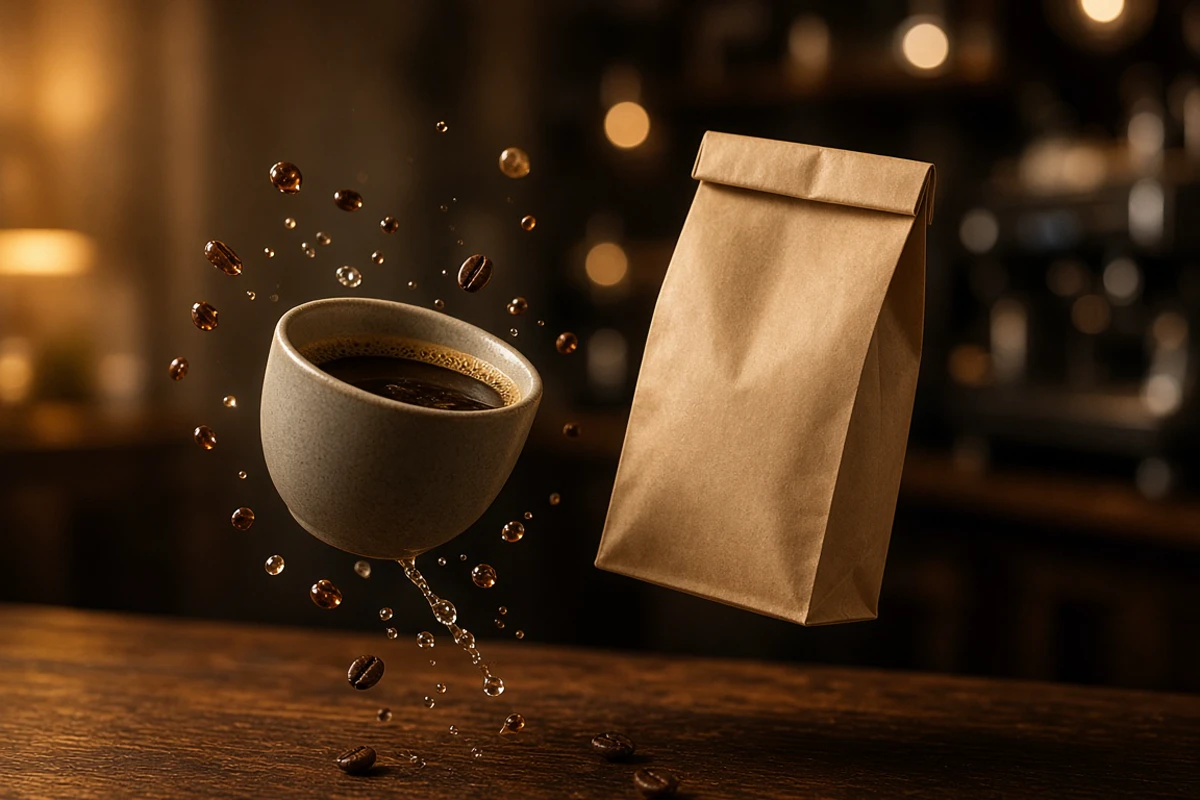
Table of Contents
- Why product stills first
- What Seedance 2.5 actually documents
- Step 1. Shoot or generate 3–8 Nano Banana keyframes
- Copy-ready Nano Banana stills (unofficial)
- Step 2. Hand stills to Seedance 2.5 (one job per reference)
- Step 3. Unofficial Seedance 2.5 prompt skeletons
- A. Coffee bullet-time drop (about 10 seconds)
- B. CCTV-style product orbit (about 12 seconds)
- C. Hard product-drop onto stone (about 8 seconds)
- D. White-model / clay-render camera lock (optional)
- E. Green-screen product plate (optional)
- Export and assembly tips
- Related Nano Banana guides
- Disclaimer
Coffee cups hang mid-spill. A bag of beans freezes while the camera walks a CCTV-style orbit. A pack drops onto stone and the lens threads the airborne objects instead of cutting. That short-form hook is everywhere in 2026 product feeds. It is not a wedding teaser, and it is not a couple-identity job.
The reliable path is stills first. Generate or shoot 3–8 Nano Banana product keyframes, approve the pack, then hand those stills to Seedance 2.5 as reference-to-video and write an unofficial bullet-time / product-drop prompt. ByteDance’s public Seedance 2.5 notes treat bullet time as a camera expression (what freezes, which way the orbit travels)—not as a separate product SKU. This page is an independent creator workflow, not a ByteDance or Google manual.
A Kapwing recreation of the viral coffee-collision clip is the cultural reference many people have seen: three stills, one continuous Seedance 2.5 pass, objects in the air, camera still moving. Use that shape. Do not paste someone else’s commercial copy.
Why product stills first
Nano Banana (Google’s Gemini image models) is built for stills: pack shots, label readability, multi-image blending, and subject consistency across revisions. Seedance 2.5 is built for short audio-video clips with multimodal references. Mixing both jobs in one prompt usually wrecks the logo or invents a second SKU.
Lock four things in stills before any clip:
- The product. Silhouette, material, colorway, and how many units exist in frame.
- The label. Spellings, icons, and what must stay unreadable if you do not have rights to a real brand.
- The surface and light. Walnut, stone, wet asphalt, practical cafe fixtures—not a generic infinity sweep unless you want one.
- The beat. Mid-air spill, CCTV orbit, or drop-to-rest. One beat per generation.
Those stills do double duty. A hero pack shot can go to a PDP or ad. The same approved frames become @image locks for an 8–15 second orbit.
If you are new to the image model, start with the Nano Banana AI image generator guide. For copy-paste stills language, use the Nano Banana prompt guide and copy-and-use prompt suggestions. When a hand or barista must stay the same person across frames, use the character consistency guide.
What Seedance 2.5 actually documents
Verified against ByteDance’s public Seedance 2.5 page and launch notes—not against private UI experiments:
| Public claim | Practical reading for this workflow |
|---|---|
| Audio-video joint generation | You can ask for diegetic sound (cup impact, cafe room tone). Do not invent a named “SFX engine.” |
| Single pass up to ~30 seconds; extend twice | One product beat is usually 6–15 seconds. Treat each extension as a new continuity risk. |
| Up to 30 images, 10 video clips, 10 audio clips | Plan 3–8 product stills. Extra refs compete. |
| Multimodal / reference-based generation | Assign one job per file: pack, label, surface, motion, or camera. |
| Clay-render / white-model referencing | A textureless 3D blockout can lock spatial structure, object pose, and camera path. The prompt still has to name the real product and materials. |
| Motion and creative references | A short orbit plate or CCTV clip can supply path and pacing only—say what not to copy. |
| Professional camera movement and blocking | Name shot size, orbit direction, and where the move starts and ends. |
| Green-screen editing | Useful for a clean product plate. Not required for a cafe-table drop. |
Official-style prompting language also lists bullet time among popular camera moves: specify which action is frozen or slowed and the direction of the orbit. That is a prompt instruction, not a menu item called Bullet Time Mode.
Limits, resolution, and which apps expose Seedance 2.5 change. Recheck ByteDance’s Seedance 2.5 page before you quote a number to a client.
Step 1. Shoot or generate 3–8 Nano Banana keyframes
You can start from a phone pack shot, a marketplace listing image, or a text-only Nano Banana generation. Approve stills the way you would approve a retouch: one SKU, one colorway, readable (or deliberately generic) type.
A compact set that covers most coffee / object drops:
| # | Still | Job later in Seedance |
|---|---|---|
| 1 | Front hero, 3:2 or 4:5 | Product identity |
| 2 | Three-quarter / orbit angle | Side structure so the orbit does not invent a new silhouette |
| 3 | Overhead or high CCTV angle | Ceiling-cam language |
| 4 | Mid-air / spill frame | Frozen action target |
| 5 | Label or material close-up | Type and print lock |
| 6 | Empty landing surface | Table, stone, or wet ground only |
| 7 | Optional hand or barista (identity locked) | Human scale—omit if the clip is object-only |
| 8 | Optional night / security-cam grade still | Look-dev for a CCTV orbit, not a second product |
Keep people out unless you have consent. For product-only drops, six stills is plenty.
Copy-ready Nano Banana stills (unofficial)
Replace the brackets. One job per generation. Do not ask for a video in these prompts.
1. Front hero pack shot
Product photography, single [ceramic coffee cup / 250g kraft bag / bottle]
on a [walnut cafe table / pale stone slab].
Three-quarter-front, eye-level, 85mm feel, shallow depth of field.
Warm practical light from camera left, dark quiet cafe bokeh.
Preserve exact silhouette, glaze, and [unbranded kraft label with no readable logo].
One product only. No hands. No extra SKUs. Aspect 4:5.
2. Orbit-angle still (same product)
Image 1 is the approved product identity. Keep the same object, materials,
and proportions. Do not redesign the pack.
Rotate the camera about 40 degrees along a horizontal orbit, slightly lower.
Same table, same warm key light, same time of day.
This is a still keyframe for a later orbit, not a new product.
3. Overhead / CCTV still
Same approved [product] on the same [surface].
Camera: high overhead, mild wide, as if a ceiling security camera
looking down a cafe table. Slight barrel, not a drone.
Cooler mix than the hero, but do not change the product colorway.
No people. No extra cups. 16:9.
4. Mid-air coffee / object freeze
Using the approved [cup and kraft bag] from the hero stills,
create one frozen-action still: the cup and bag are airborne
above the table, a few beans and droplets suspended.
Time is stopped. Camera is mid-orbit, not a straight packshot.
Keep product identity. No brand names. No text you cannot spell.
5. Label or material close-up
Extreme close-up of the approved [kraft bag seam / cup glaze / cap].
Lock materials to the hero still. Soft specular, commercial, no beauty glow.
If type is required, print exactly: “[LINE]”. Otherwise leave the label blank.
No new icons.
6. Empty landing zone
The same [walnut table / wet stone] and lighting as the hero still,
with the product removed. Empty surface, crumbs or a ring of moisture only.
This still locks environment. Do not invent a second location.
7. Optional hand-in-frame (upload a consented photo)
Image 1 is identity for the hand and skin only. Image 2 is the approved product.
Place the hand at the edge of frame, fingers opening as if the [cup] just left them.
Do not change the product. Do not beautify into a different person.
No face required.
8. Night CCTV look-dev (same product)
Same approved product on the same table.
Regrade as a night interior security camera: mild grain, cooler highlights,
hard overhead practical. Product silhouette unchanged.
Still photo, not a video stills-sheet.
Need pose or camera language for a hand, barista, or held object? Steal structure from the pose prompt templates and the pose-reference workflow. Keep those jobs on the stills side.
Step 2. Hand stills to Seedance 2.5 (one job per reference)
Upload the approved set. Write what each file controls and what it must not control. Official-style Seedance prompting uses @image / @video / @audio role lines. If your UI numbers files as Image 1, use that syntax instead. The rule is the same.
@image1 supplies the product identity: silhouette, materials, colorway.
         Do not take its background.
@image2 supplies the three-quarter structure of the same single product.
@image3 supplies the overhead / CCTV camera height and mild wide only.
         Do not take a second product from it.
@image4 supplies the frozen mid-air arrangement of cup, bag, beans, droplets.
@image5 supplies label/material close-up only.
@image6 supplies the table, room tone, and lighting. No product in this file.
Give each human or accessory its own line. Example: “@image7 supplies the hand only. Ignore jewelry that is not on the approved still.”
If you have a textureless 3D orbit or a short CCTV plate:
@video1 supplies camera path, orbit direction, and pacing only.
        Do not copy its subject, branding, or room.
A clay-render / white-model blockout is the same idea: it locks space and camera, not the kraft texture. You still have to name the real materials in the prompt.
Step 3. Unofficial Seedance 2.5 prompt skeletons
Write one continuous beat. Name format, duration, subject + action, reference roles, a timestamped timeline, camera, continuity, audio, and constraints. Public notes say generation parameters (resolution, duration, aspect) may also live in the UI—set them there and repeat duration in the prompt so the clocks agree.
These skeletons are unofficial. They are not ByteDance copy.
A. Coffee bullet-time drop (about 10 seconds)
FORMAT: 16:9, 10 seconds, photoreal product commercial, no text overlay.

SUBJECT + ACTION: One approved ceramic cup and one kraft coffee bag
leave a walnut cafe table, hang in mid-air with beans and droplets,
then the camera threads the objects and settles on a hero rest.

REFERENCE ROLES:
@image1–@image2 lock the single product. There is only one cup and one bag.
@image4 locks the frozen airborne arrangement.
@image6 locks the table and cafe. Do not invent a street or a second SKU.

TIMELINE:
0–2s: table-level wide, objects just leaving the surface.
2–7s: bullet time — cup, bag, beans, and droplets nearly frozen or crawling;
      camera continues a smooth clockwise orbit and a slight push through
      the airborne group.
7–10s: speed returns; objects land; hold a clean hero.

CAMERA: bullet time on the airborne product; orbit left-to-right,
start three-quarter, end front hero. Do not slow the camera with the objects.

CONTINUITY: same cup, bag, glaze, and table. No extra products. No logo invention.

AUDIO: ceramic tap, soft bean scatter, quiet cafe room tone. No music.
No dialogue. No subtitles.

CONSTRAINTS: no warped label, no second cup, no hands unless referenced,
no readable brand you did not lock in stills.
B. CCTV-style product orbit (about 12 seconds)
FORMAT: 16:9, 12 seconds, one continuous take.

SUBJECT + ACTION: The approved product sits on the table. No drop.
A ceiling-height camera walks a slow 180-degree orbit as if a
security camera on a motorized mount, then eases to a hold.

REFERENCE ROLES:
@image1 locks product identity.
@image3 locks overhead height and mild wide.
@image6 locks the room. Ignore any people in environment refs.

TIMELINE:
0–2s: high wide, product readable in the lower third.
2–10s: slow orbit, constant height, no crash zoom.
10–12s: settle, slight push-in, hold.

CAMERA: orbit, high angle, stable mount — not handheld, not FPV, not a drone dive.

CONTINUITY: one product, no SKU change, no day-to-night cut.

AUDIO: HVAC, distant cups, no score. No subtitles.
This is a CCTV-orbit look, not a Seedance feature name. Say “ceiling security camera, motorized orbit” in the prompt. Do not call a menu item that does not exist.
C. Hard product-drop onto stone (about 8 seconds)
FORMAT: 9:16, 8 seconds, social product-drop.

SUBJECT + ACTION: The approved pack falls from above frame and
lands on [stone / wet asphalt]. Dust or a small rebound, then rest.

REFERENCE ROLES:
@image1 locks the pack.
@image6 locks the landing surface only.

TIMELINE:
0–2s: object enters from top, motion normal.
2–5s: brief bullet-time tumble; camera orbits 45 degrees around the pack.
5–8s: impact, settle, hold.

CAMERA: start slightly high, orbit during the freeze, end on a three-quarter hero.

AUDIO: <pack impact>, short debris, then room tone. No music.

CONSTRAINTS: do not crush the pack into a different product. No invented logo.
D. White-model / clay-render camera lock (optional)
@video1 is a textureless white-model orbit of the same object path.
        Use it for spatial structure, object pose, and camera angles only.
        Do not keep the clay look.

Generate the real [ceramic cup and kraft bag] with materials from @image1
on the cafe table from @image6, following @video1's orbit and blocking.
Photoreal, warm practical light. 10 seconds. No clay, no studio cyclorama
unless @image6 is a cyclorama.
E. Green-screen product plate (optional)
@image1 locks the product.
Replace or hold a clean [green / even] field behind the subject
while keeping the main product intact.
Camera: slow push-in, 6 seconds. No extra objects. No text.
Use only if you need a plate for a later composite.
Generate each beat separately. Review the pack before you extend. ByteDance describes extensions as growing a clip forward or backward—useful for a longer settle, risky if the label already drifted.
Export and assembly tips
- One beat per file. Stitch the drop, the CCTV orbit, and a label insert in an editor. Do not ask one prompt for a 60-second brand film.
- Aspect in the UI and the prompt. 16:9 for ads, 9:16 for stories, 1:1 only if the product is centered and the orbit is short.
- Reject on product, not vibe. Warped type, a second bag, melted glaze, extra hands, and invented marks are fail conditions.
- Return to the original stills. Do not use clip 1 as the only identity source for clip 2.
- Audio is optional. If the model writes a score you did not ask for, say “no background music” and regenerate or mute in the NLE.
- Watch extensions. A second extend is a new continuity pass, not free length.
- Legal. Do not lock a real competitor’s mark, a celebrity hand, or a cafe you cannot show. Get consent for any face or identifiable tattoo. AI clips are not a substitute for a product shoot when a retailer or platform requires real photography.
Capability, not marketing: reference-heavy video models hold a pack when the stills are sharp and the prompt is narrow. They still invent barcodes, melt seams, and spawn a second cup. Budget rejects the same way you reject packshot retouches.
Related Nano Banana guides
Stay on this site for the stills half:
- What Nano Banana is and how to generate or edit images
- Copy 8 Nano Banana editing prompts
- More copy-and-use Nano Banana prompt suggestions
- Keep the same faces and hands across new poses
- Pose prompt templates, including product scenes
- Pose-reference workflow
- Browse the Nano Banana guide library
Need the people-and-stationery version of stills-to-video instead? Use the wedding invitation posters to Seedance-style clips guide. Do not mix those couple-identity prompts into a product drop.
If the problem is Sora’s API sunset rather than a product orbit, use the short Nano Banana stills → Seedance / Kling / Veo after Sora companion. Do not mix those remap notes into a coffee drop.
For the motion half, use the Seedance 2.5 surface you already have access to, then finish in any editor. If you write many clip prompts and want duration, camera, and reference roles in one workspace, our sister site H3 Max Video Prompt keeps those fields together. This is an owned-site recommendation; use it only if it saves you from rewriting the same product lock.
Disclaimer
This is an unofficial creator guide. Nano Banana is a common name for Google Gemini image models. Seedance 2.5 is a ByteDance Seed video model. Neither company reviewed this page. Names, limits, and controls change.
Do not treat generated packs or labels as cleared brand assets. Do not upload other people’s faces, hands, or packaging without permission. Short AI clips can support mood boards, social tests, and previz. They do not replace a contracted product shoot, rights-cleared packaging, or platform rules that require real photography.
Frequently Asked Questions
Can Seedance 2.5 do bullet time from Nano Banana stills?
Public Seedance 2.5 docs do not ship a separate Bullet Time Mode. They do document multimodal reference-to-video, professional camera movement, and prompting language that includes bullet time as a camera expression: say which action freezes or slows, and the direction of the orbit. Nano Banana stills are the product lock you attach as image references.
How many Nano Banana keyframes should I make for a product orbit?
Use 3–8 stills. Three is enough for a simple coffee drop (hero, mid-air, landing). Add orbit angles, a label close-up, and a CCTV or overhead view when the pack must stay recognizable from more than one side.
What Seedance 2.5 reference limits should I plan around?
ByteDance describes Seedance 2.5 as accepting up to 30 images, 10 video clips, and 10 audio clips in one pass, with single-generation clips up to about 30 seconds and the option to extend twice. For a product drop, fewer references with one job each are usually more stable than filling the budget.
Is this the same as the Nano Banana wedding and Seedance workflow?
No. That guide is stationery and couple-identity first. This one is object-first: pack shots, coffee spills, CCTV-style orbits, and product drops. Do not reuse wedding prompts here.
Why does my clip look like ordinary slow motion instead of bullet time?
The camera is probably slowing with the product. Separate the two clocks: freeze or crawl the object, keep the camera moving on a named orbit or push, and end on a held hero frame.
Are these official Seedance or Nano Banana prompts?
No. They are unofficial skeletons for creators. Feature names, limits, and UI labels can change. Check the current Seedance 2.5 and Gemini image pages before you promise a client a named mode.